CODE<dre> Book a call

Manual work is a bug. I fix it.

I find the work your team repeats by hand and turn it into software that runs itself.

Runbook / sample queue Idle
Jobs by hand
3
Hours a week
13.5
Automated
0
  1. Auditwaiting
  2. Buildwaiting
  3. Shipwaiting
Manual

Queue

Sample queue: illustrative jobs, not client data

    What the queue looks like from inside

    Somebody does this every week.

    Copy.

    The same numbers, typed into a third system.

    A leaning tower of printed paperwork and manila folders on an office desk, lit by a hard flash.
    An office wall covered edge to edge in overlapping sticky notes, arrows and string.

    Paste.

    The process lives on a wall, and in one person's head.

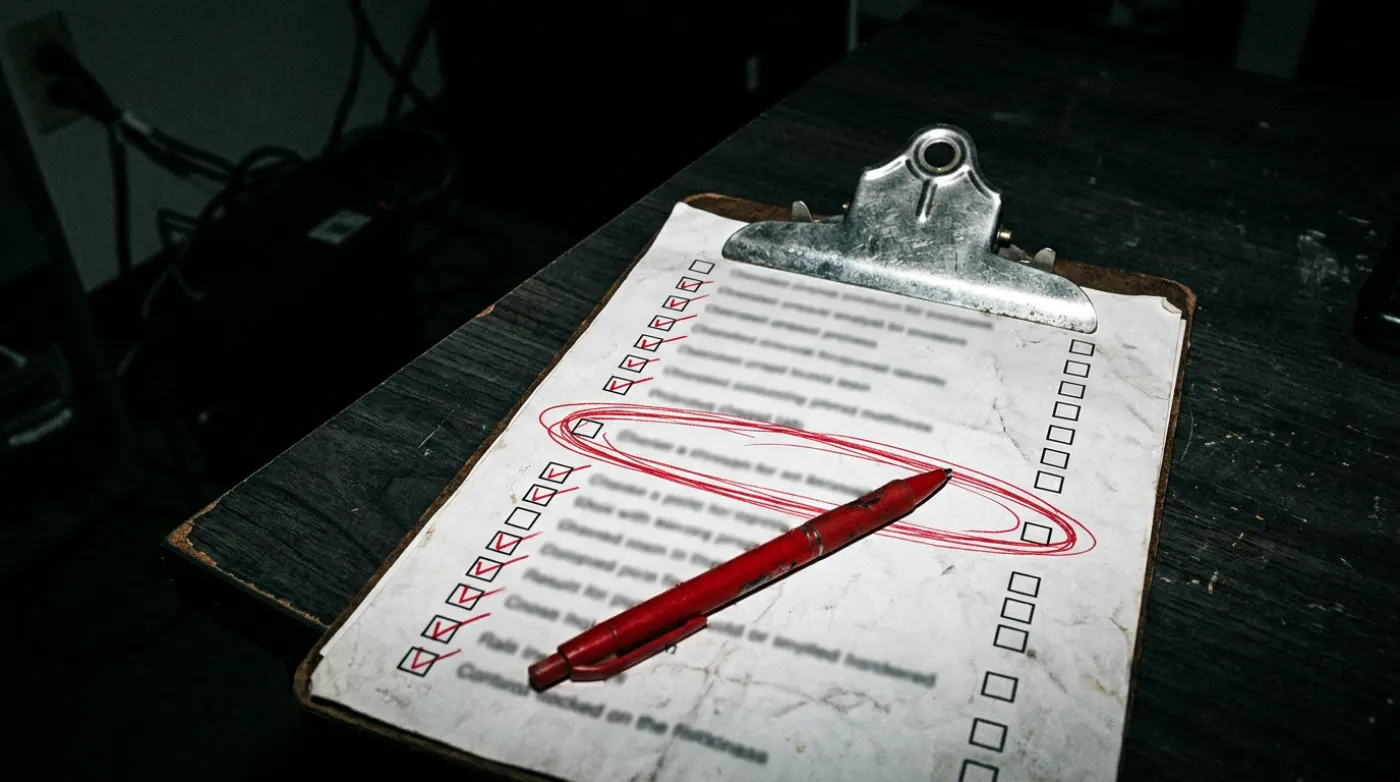
    A hand gripping a red pen over a printed form full of tally marks and crossings-out.

    Again.

    Every week, checked by hand in red pen, because nothing checks it for you.

    Glasses resting on a laptop keyboard at night, the screen full of spreadsheet windows, a cold coffee beside it.

    Still in the spreadsheet.

    The report is due in the morning. The numbers are in six tabs.

    The work grows every time you hire.

    More people means more copying. The hours grow with headcount, not with the business.

    A high-speed document feeder pulling white sheets through polished steel rollers, red indicator lights on.

    Then it runs.

    I audit the queue, build the software, and ship it. Each job becomes one line that runs on its own.

    Runbook / sample queue Queued
    Jobs by hand
    12
    Hours a week
    53
    Automated
    0
    1. Auditwaiting
    2. Buildwaiting
    3. Shipwaiting
      Runs

      Recent runs.

      Each one started as somebody doing it by hand.

      1. run 01 / shippedQuality plans for a water utility
      2. run 02 / liveAn AI agent team for three businesses
      3. run 03 / data migrationA CRM migration for an AV company
      4. run 04 / working buildA copilot for discovery calls
      run 01Shipped, in use

      Quality plans for a regional water utility.

      Every construction project needs a quality plan. Each one was put together by hand from the project's spec book, and one spec book ran 685 pages.

      BY HAND

      • Read the whole spec book
      • Copy every requirement into a list
      • Fill the Word templates
      • Check the schedule and table headers

      AS SOFTWARE

      • Upload the spec book
      • It pulls every requirement
      • It asks only what the spec leaves out
      • It fills the plan, the inspection and test plan, and the schedule

      ~8 working days ~30 minper plan. A person still reviews every one.

      From the shipped tool. Names in the documents are placeholders.

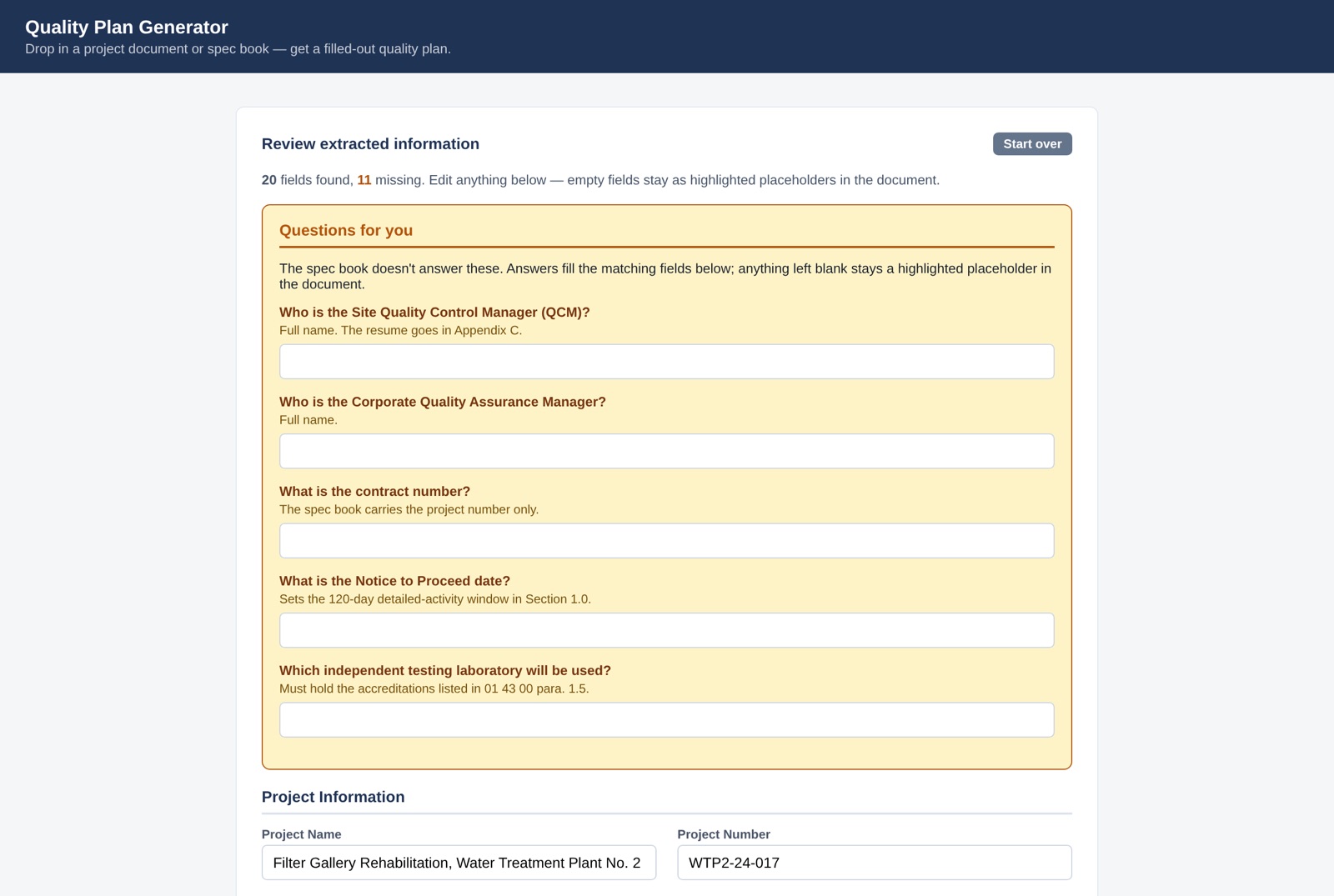
      The review screen, listing only the questions the spec book does not answer.
      It asks only what the spec leaves out.
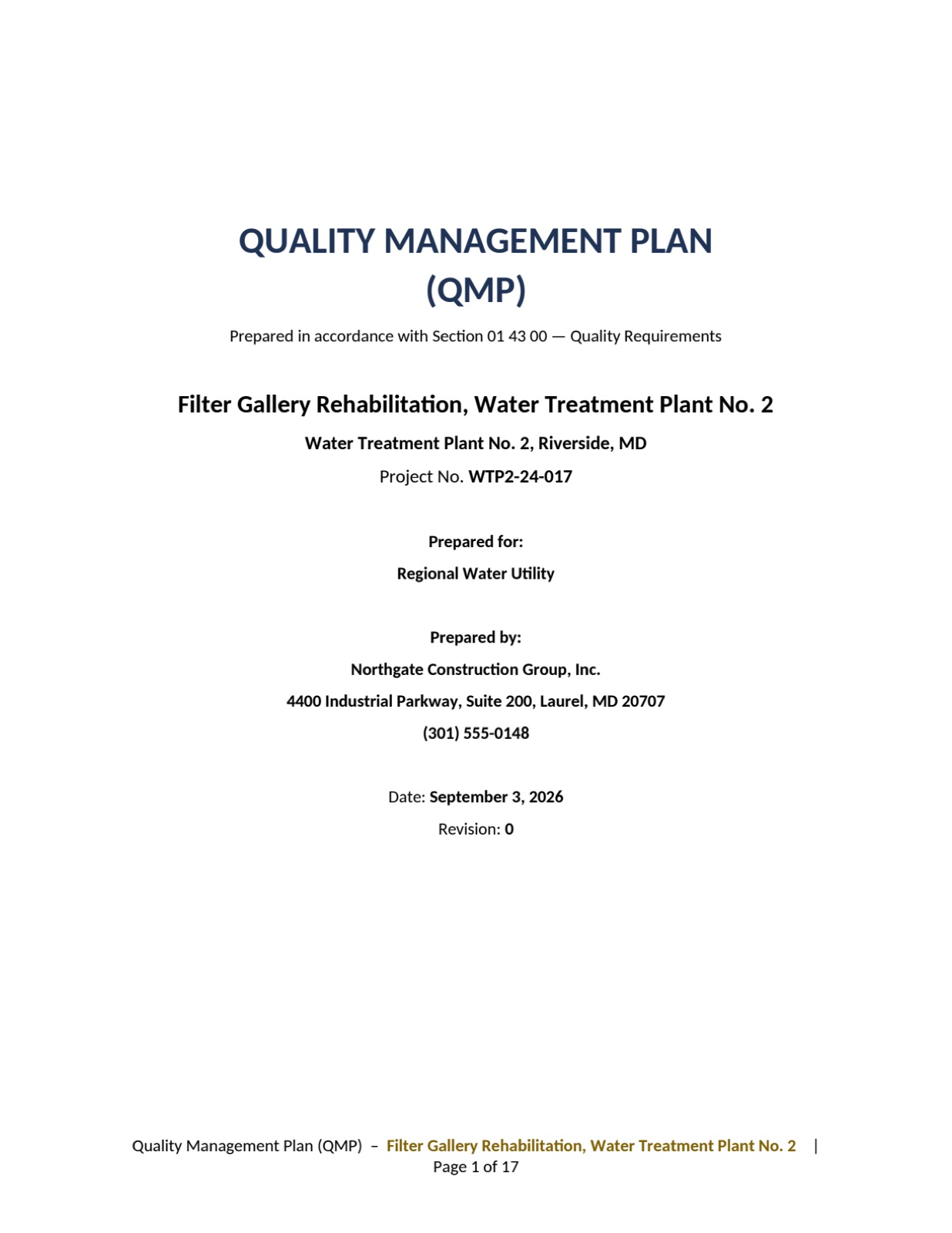
      Cover page of a generated quality management plan.
      The finished plan.
      run 02Live every weekday

      An AI agent team that runs three businesses.

      Mine. Four inboxes and calendars, the research, the morning updates and the admin for each business all landed on one person.

      BY HAND

      • Triage four inboxes, one at a time
      • Keep four calendars straight
      • Read the news before the day starts
      • Switch hats for every business

      AS SOFTWARE

      • Eight agents, each with one lane
      • An orchestrator delegates and reports back
      • A digest waits at 7:30am on weekdays
      • One agent per business

      8 agentsNothing is sent, spent or deleted without my OK.

      The roster

      • OrchestratorDelegates, checks the work, reports back.
      • Inbox + calendarTriage and reminders across four accounts.
      • ResearchDeep research, filed as reports.
      • DigestThe weekday briefing at 7:30am.
      • News radarAI news around 7:00am, feeding the digest.
      • Business oneThe consulting practice: clients, builds, follow-ups.
      • Business twoThe AV production company: Slack, quotes, logistics.
      • Business threeA service business: leads, quotes and scheduling.
      run 03Data migration

      A CRM migration for an AV production company.

      Years of contacts sat across old funnels and spreadsheets, including a 22,921-row legacy block with no single owner.

      BY HAND

      • Scroll a giant sheet and guess who is who
      • Tag people however it felt that day
      • Delete what looks wrong and lose history
      • Mail everyone and hope

      AS SOFTWARE

      • Every source pulled into one place, history kept
      • Duplicates and dead addresses caught before any send
      • Missing details filled in from public data
      • Contacts sorted by who they are, how they came in, and where

      22,921 rowsmoved into one CRM, cleaned and sorted. Nothing deleted.

      What the migration does

      1. CollectYears of contacts from old funnels, forms and spreadsheets, in one place.
      2. CleanDuplicates merged, dead and role addresses flagged so nothing bounces.
      3. EnrichState from the area code, personal or business email, company from the email domain.
      4. SortEvery contact grouped by who they are, how they came in, and which market.
      5. MoveInto one CRM with its history intact, ready for a re-introduction campaign.
      run 04Working build

      A live copilot for discovery calls.

      A discovery call goes best when the person running it is listening, not typing. The numbers that matter (how often, how long, who) are the easiest to forget to ask.

      BY HAND

      • Type notes while trying to listen
      • Forget to ask how often, how long, who
      • Rebuild the call from memory afterward

      AS SOFTWARE

      • Listens alongside the call
      • Flags automation signals as they are spoken
      • Prompts for the missing numbers
      • Writes the debrief when the call ends

      Listen. Don't type.Notes, numbers and next steps, captured while the call happens.

      Signals it listens for (example lines)

      • them"Every Monday I pull the numbers."
      • them"Then I copy it into the tracker."
      • them"I have to remember to send it."
      • them"It's only a few minutes."
      • promptAsk: how many minutes, how often, and who covers it when they're out?

      Add one job to the queue.

      Describe one task your team does by hand. Bring it to the call and I start there.

      One sentence is enough.

      Stays in this browser. Nothing is sent.